Join our training and upskill yourself now.

Learner Guide

The learners’ guide serves as a central resource where learners can find valuable information about ACAD courses. If you need additional details or have any further questions, please don’t hesitate to contact us.

How to claim using SkillsFuture Credit?

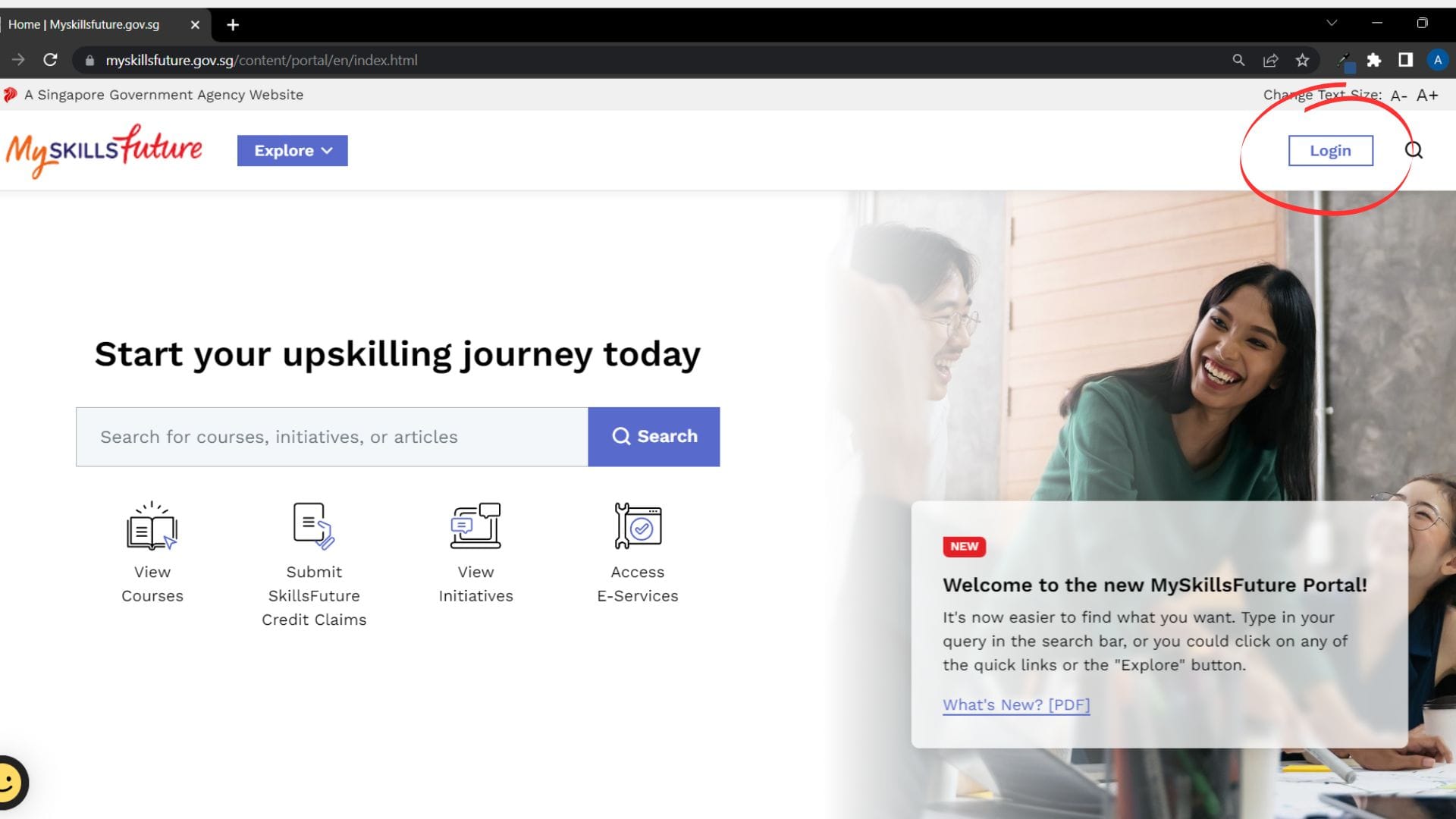
1. Log into your SkillsFuture account

Go to www.myskillsfuture.gov.sg  and click the login button.

2. Verify your credential using Singpass

3. Click ‘Submit SkillsFuture Credit Claims’ button

You will be sent back to the homepage after logging in to your account. Click the ‘Submit SkillsFuture Credit Claims’ button.

4. Account details and eligible credits

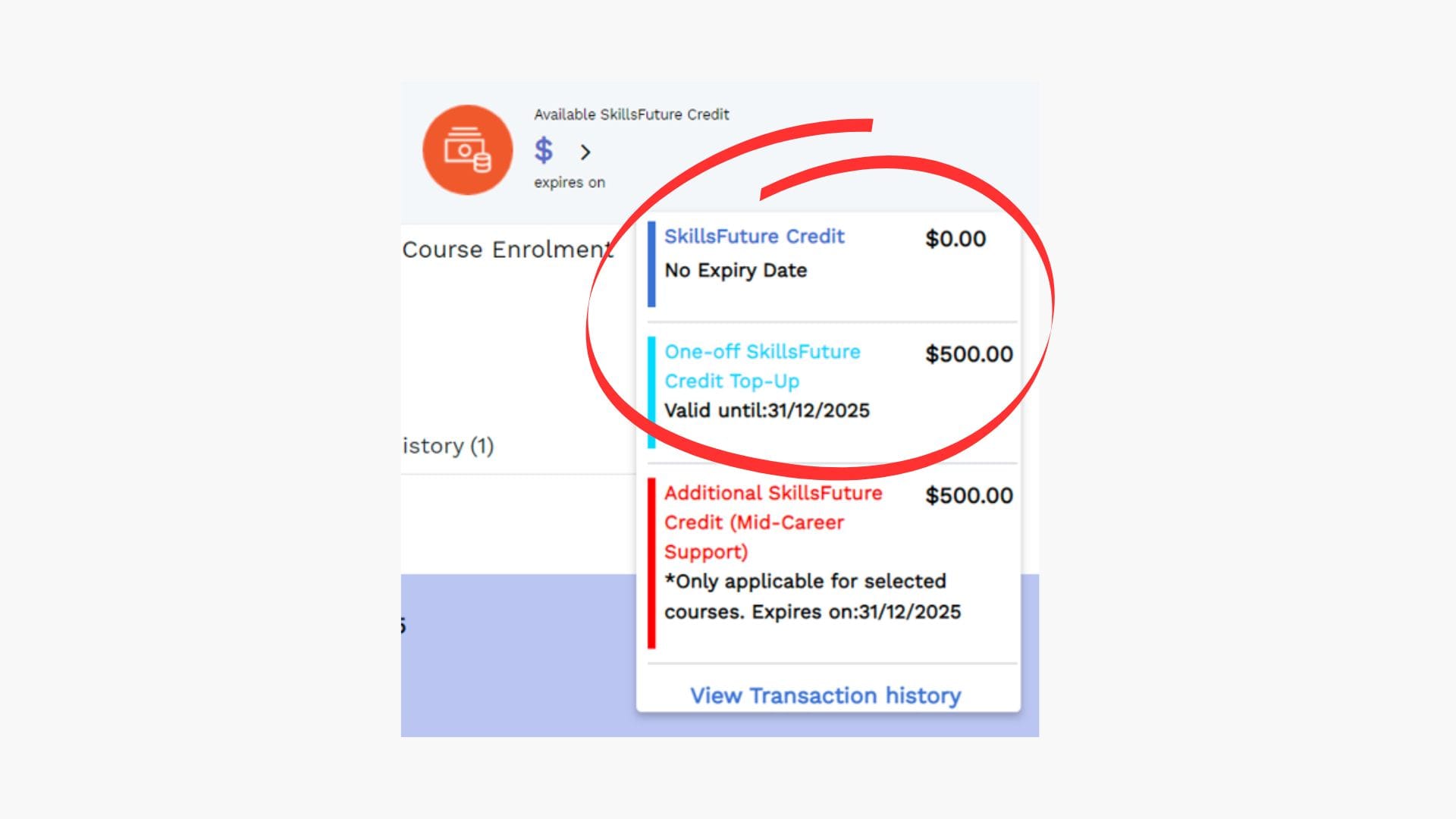
Click on the button to see your available credits. There will be a few sections on your credit details such as SkillsFuture Credit, Credit Top-Up and Mid-Career Support. Only SkillsFuture Credit and SkillsFuture Credit Top-Up are eligible for usage on our courses.

Please take note that Mid-Career Support Credits are not eligible for our courses.

5. Submitting your claims

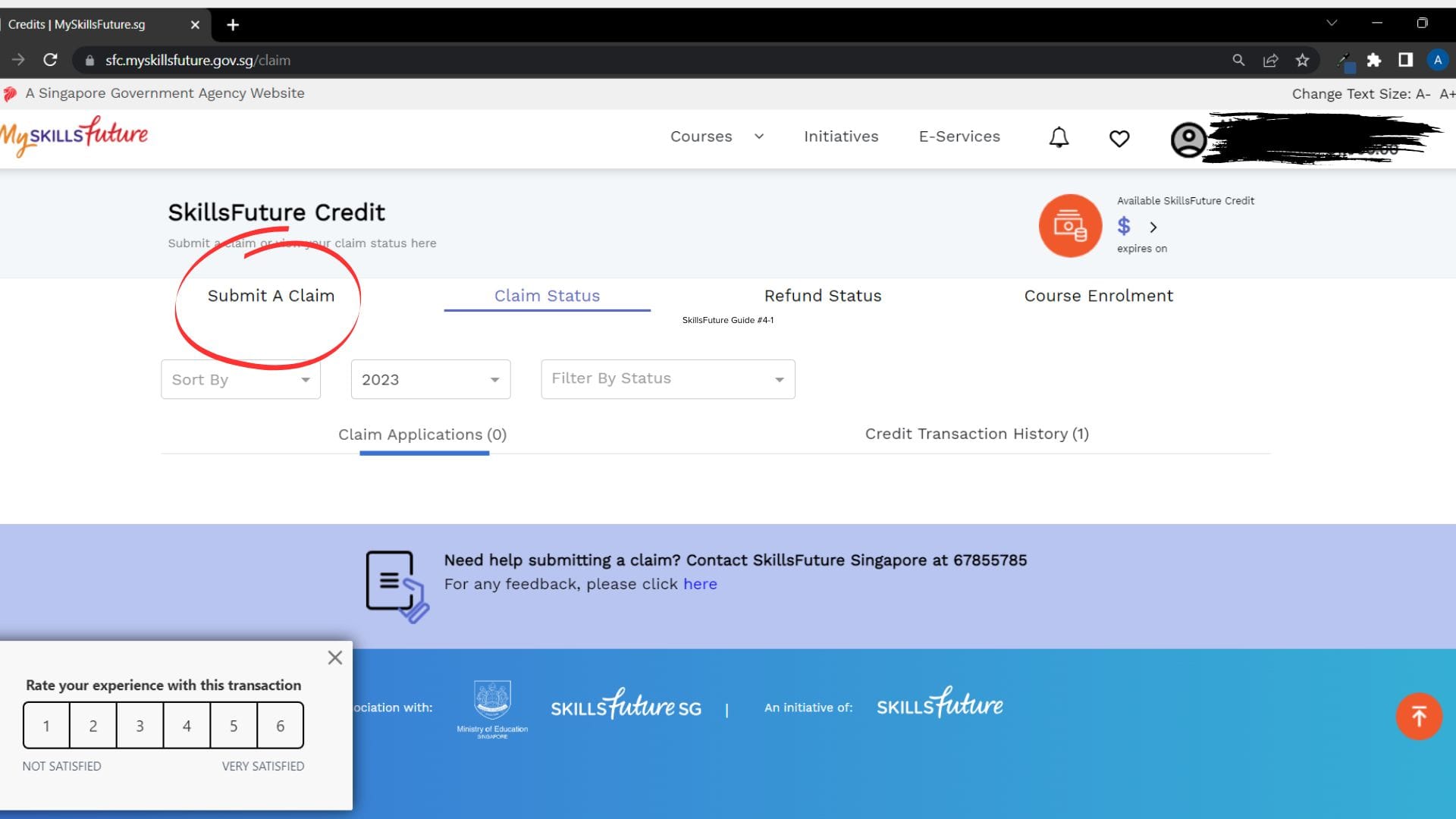
Once you’ve checked your eligible SkillsFuture Credits, click ‘Submit a Claim‘.

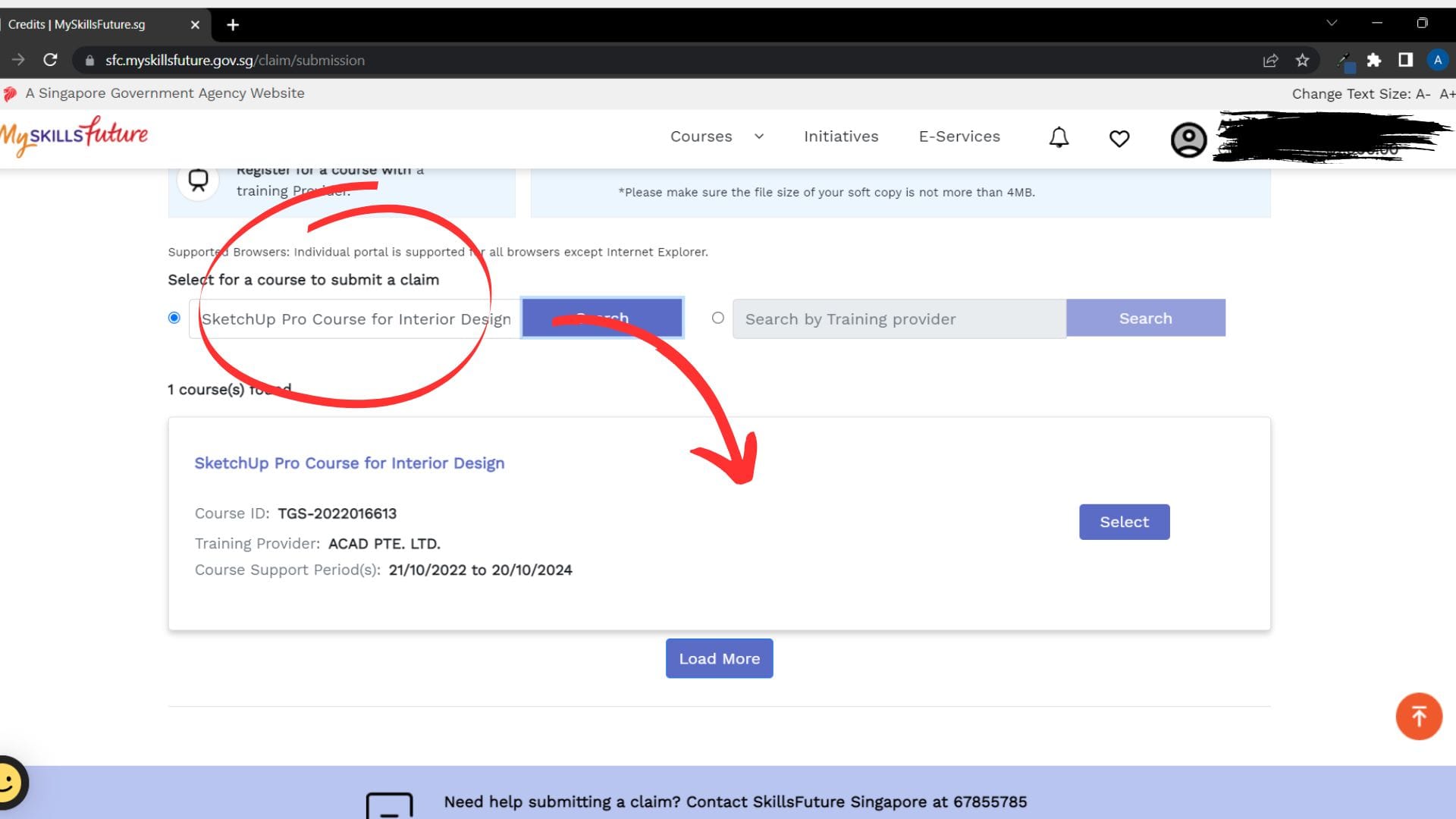
6. Select the course you’ve signed up for

Fill in the name of the course that you’ve signed up for and it will appear below. As of now, these are the courses in ACAD that are SkillsFuture Claimable:

After selecting your course, select the correct course date. 

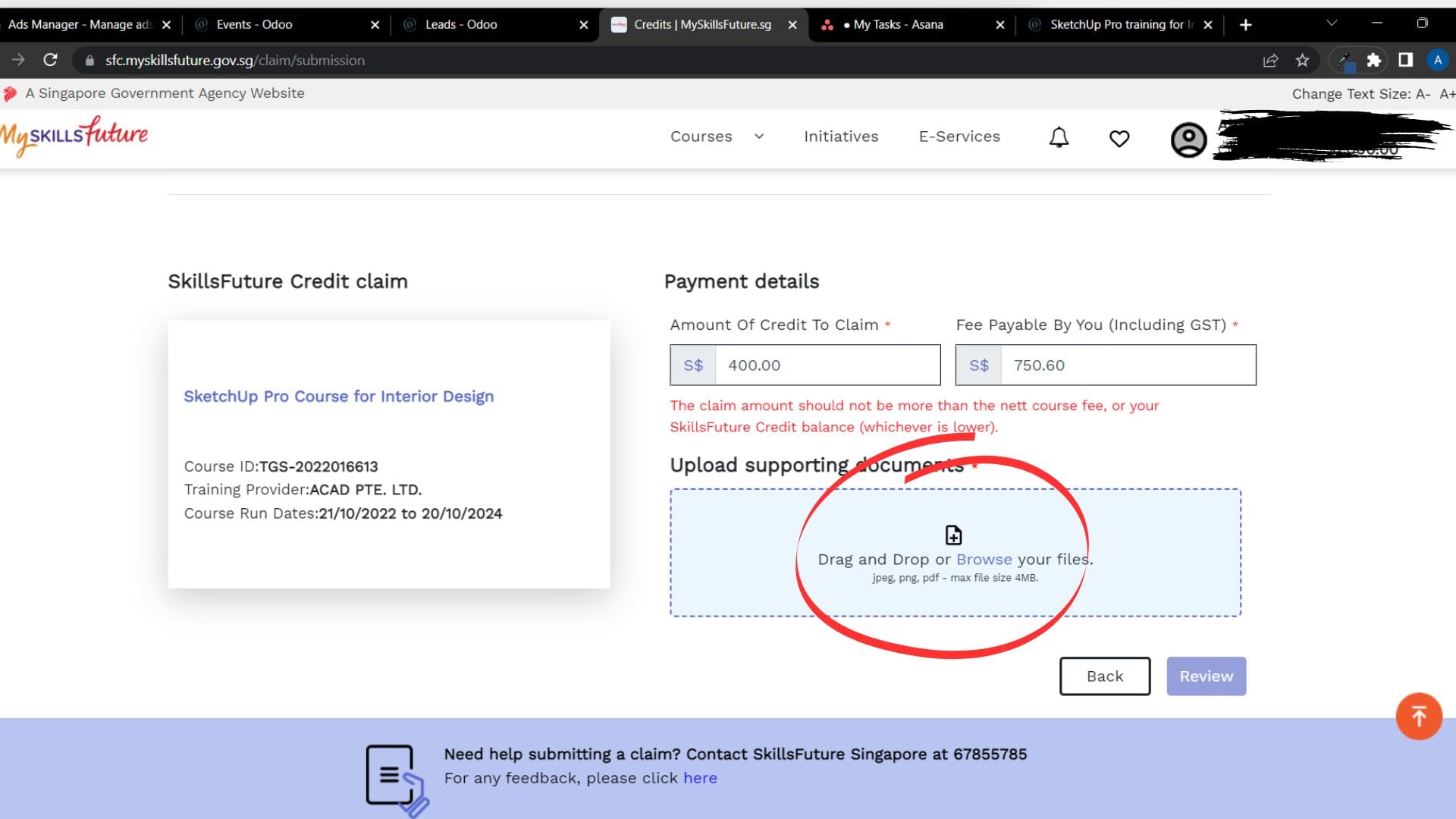
7. Payment details

Amount of Credit to Claim
The amount you want to use from your SkillsFuture account should be equal or lesser than the amount you have.

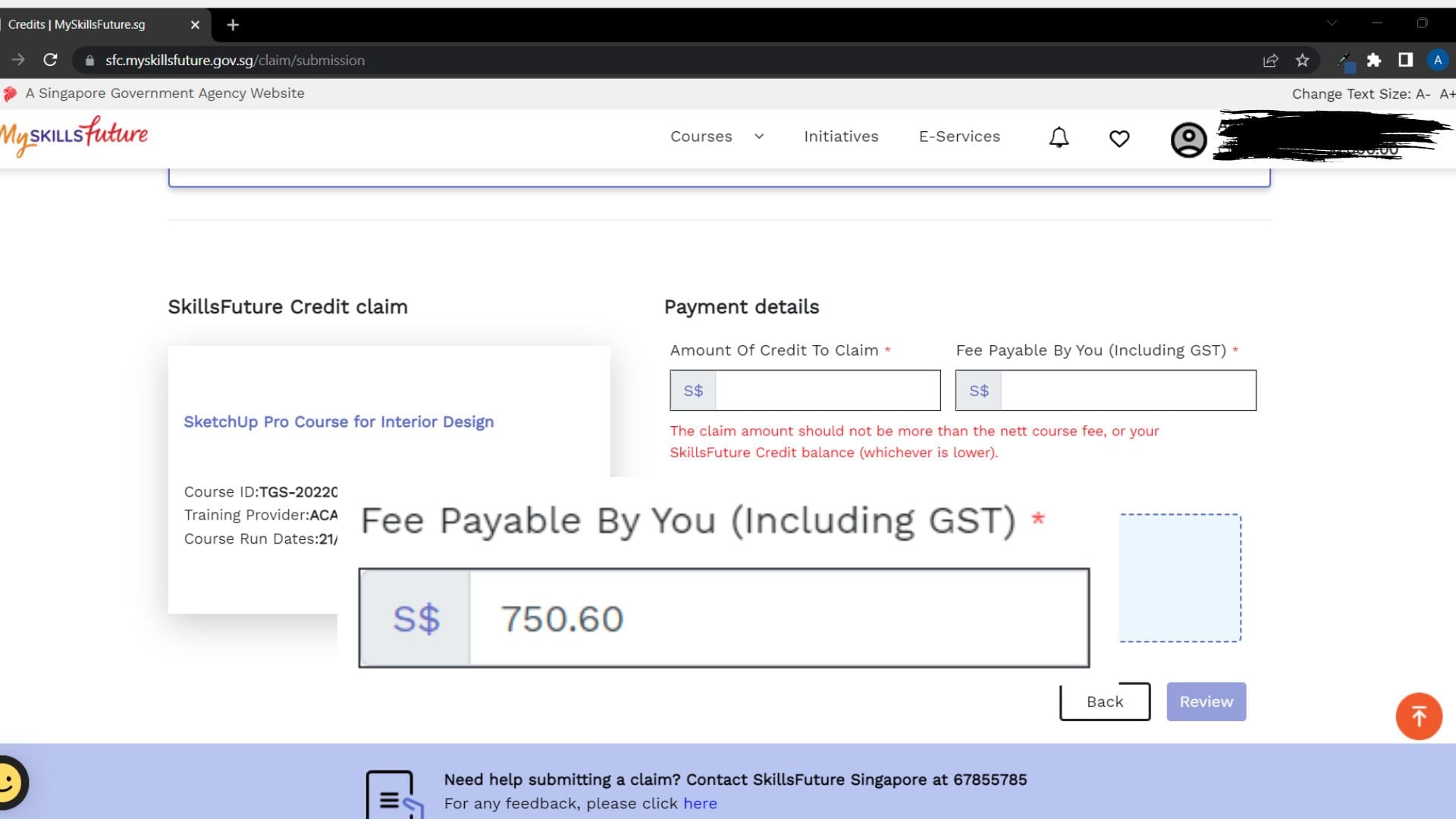
Fee payable by you

This is the course fee, inclusive of GST.

For example: Customer A has $500 SkillsFuture Credits in your account. Our course fee is $750.60 (inclusive of GST) (Key in the value based on the respective course fees). Fill in the amount you wish to use from your SkillsFuture account in the left blank and the course fee on the right blank. The remaining amount left (if there’s any) will be paid in cash.

8. Supporting documents/ Official Invoice

Click the button to upload the invoice (INV/xxxx/xxxx) that was sent by us and submit it in the portal.

9. Claim submission proof

Take a screenshot of the claim submission and send it to us (via sales@acad.sg).

How to get to our Training Centre?

ACAD Training Venue: 51 Bukit Batok Crescent, #08-40/41 Unity Centre, S658077

By MRT:

Nearest station: Bukit Batok Station (NS2) /Clementi Station (EW23)

By Bus:

From Bukit Batok station, take Bus No. 106 or 77 at the Interchange and get off at the 5th stop (Burgundy Hill). Cross the road and walk past WCEGA Plaza towards Unity Centre.

From Clementi station, turn left after exiting the gantry (towards Clementi Central).

  • Take Bus No. 106 along the main road and get off at the 6th stop (opposite Burgundy Hill) or
  • Take Bus No. 189 along the main road and get off at the 4th stop (opposite Burgundy Hill).
 

Walk past WCEGA Plaza and continue towards the Unity Centre.

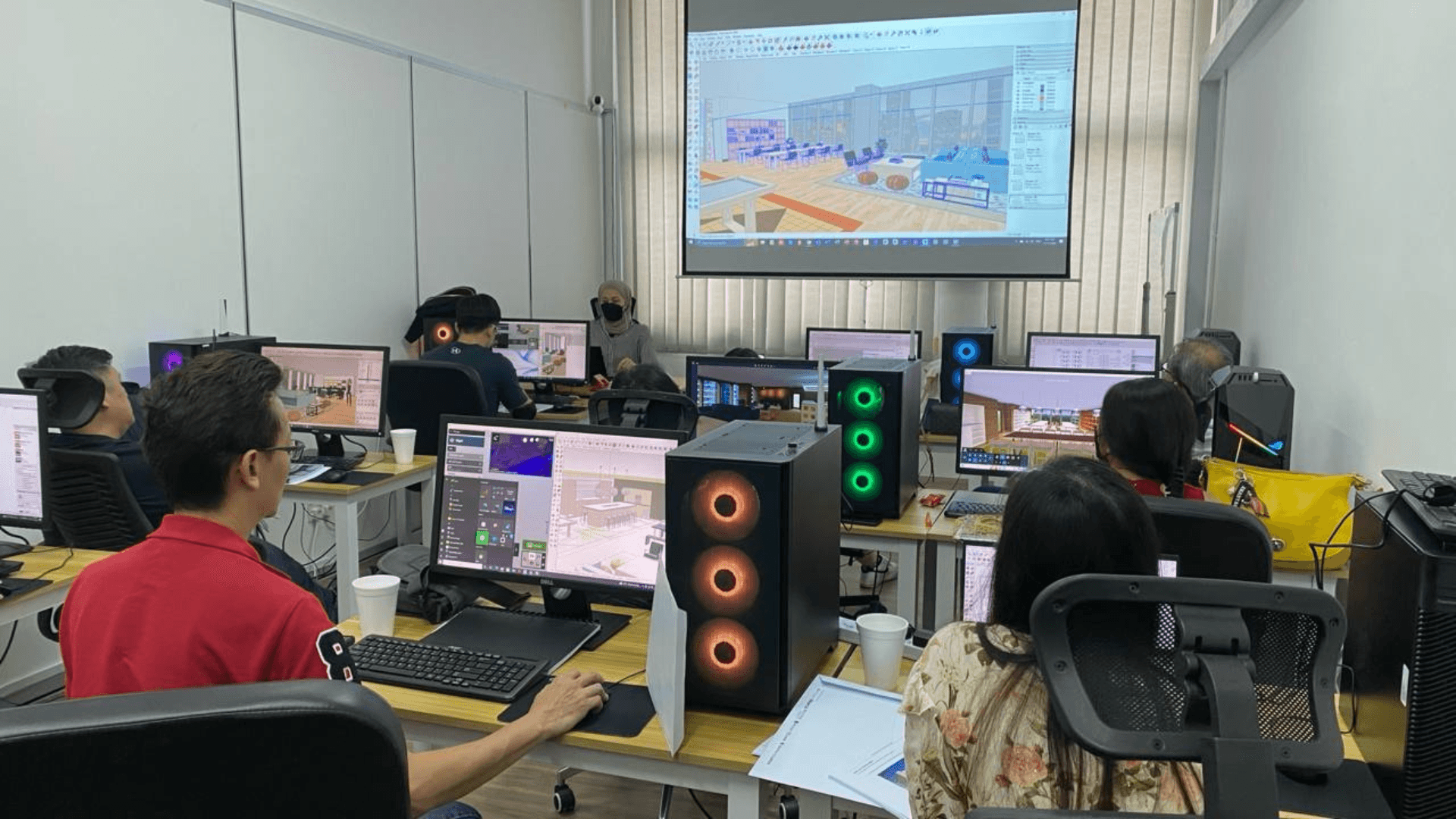
ACAD Training Facility

ACAD Training Venue: 51 Bukit Batok Crescent, #08-40/41 Unity Centre, S658077

Lin Weijie
Lin Weijie
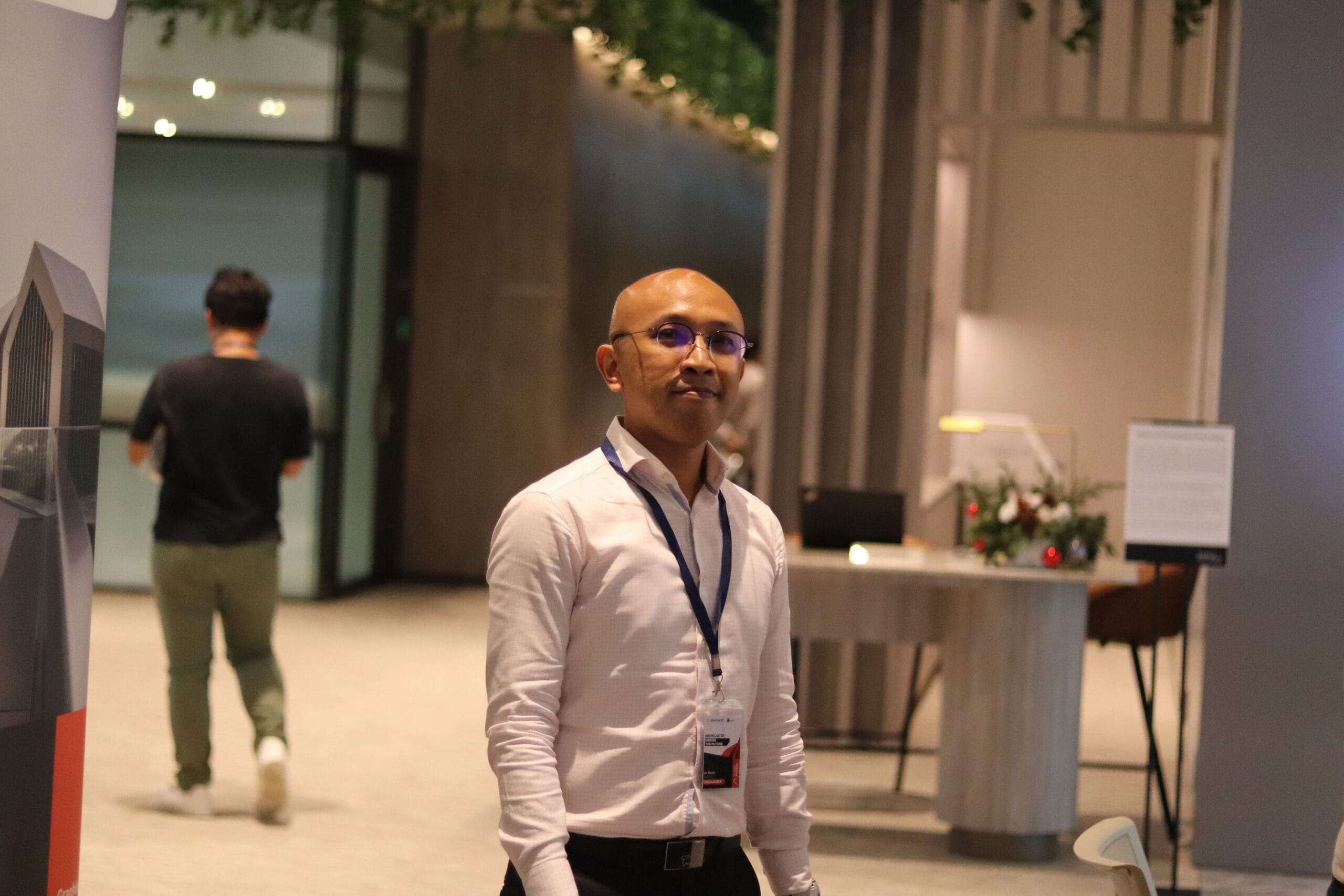
Lin Weijie is a skilled and experienced trainer at ACAD PTE LTD, specializing in software technical demonstrations, technical training, and communication skills. With a diverse background in the Electronics, Mechanical, Architecture, and Interior Design industries, he is dedicated to helping individuals and professionals reach their full potential. As a certified ACLP trainer, Lin is recognized for his practical approach and engaging teaching style. He customizes his training sessions to address the specific needs of each learner, fostering an environment that promotes growth, collaboration, and continuous development.

With over 10 years of teaching experience, Lin employs a hands-on, interactive training methodology that seamlessly integrates theoretical concepts with real-world applications. He is proficient in a wide range of software applications, including Altium Designer, AutoCAD, SketchUp Pro, GstarCAD, Revit, Inventor, Fusion, Solid Edge, and Lumion. His training sessions incorporate a variety of methods such as case studies, group discussions, and practical exercises to create an engaging and dynamic learning experience. Lin is committed to creating a supportive yet challenging environment, where learners feel empowered to take risks and explore new ideas.

To date, Lin Weijie has successfully trained over 500 professionals across various industries, making a lasting impact on their skill development and career growth.
Rajeswari Kumaragurunathan
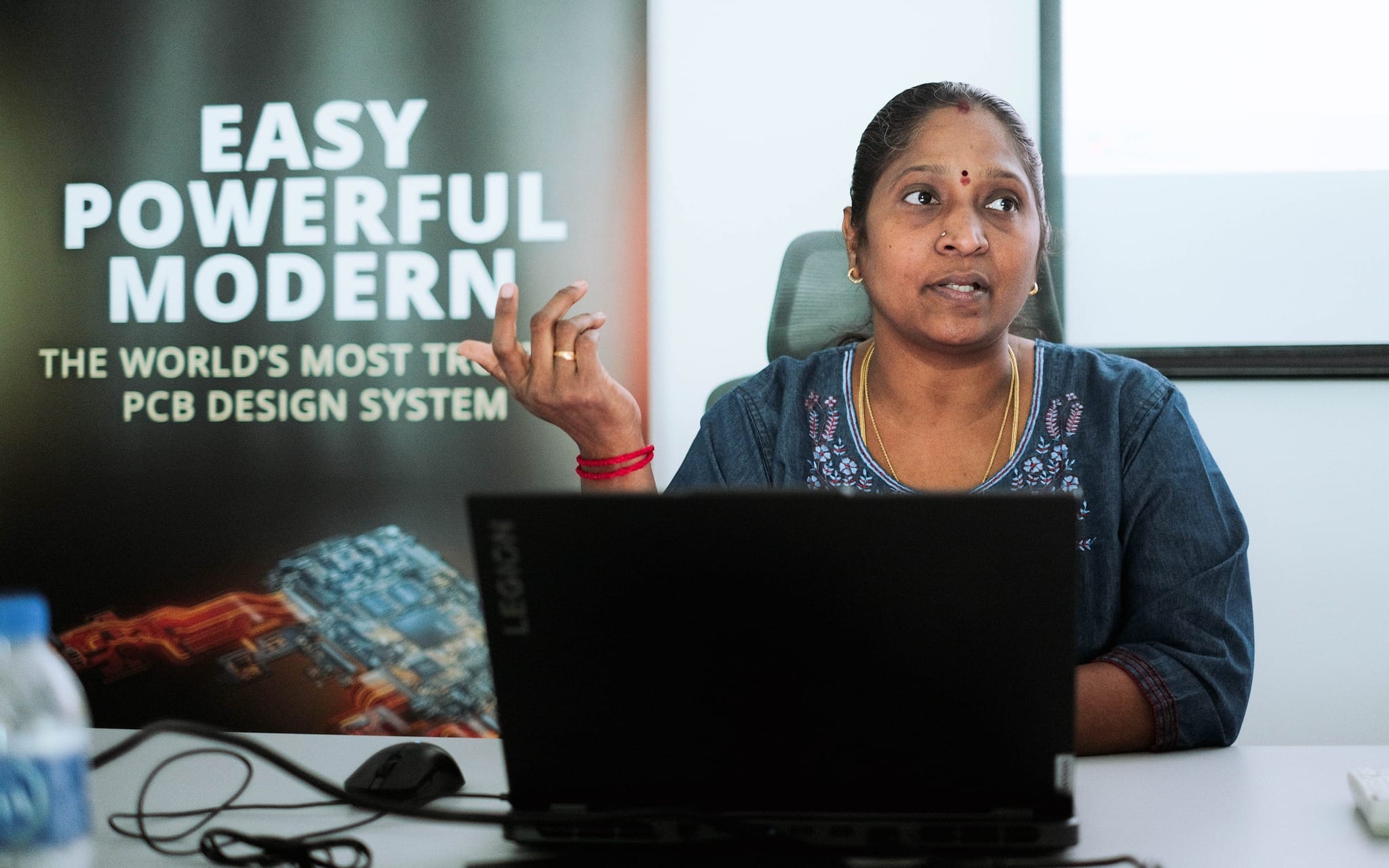
Rajeswari Kandasamy is a dedicated Senior Engineer, bringing a wealth of experience and expertise in the technology and engineering sectors. With a strong technical background, she specializes in providing innovative solutions, training, and application support for Printed Circuit Board (PCB) design and manufacturing processes.

Rajeswari’s passion for learning and sharing knowledge shines through her role as a trainer. She is skilled in delivering interactive and engaging workshops tailored to diverse learner needs. She is committed to empowering learners by fostering technical proficiency, critical thinking, and adaptability to industry demands. Through her dedication, she inspires others to embrace lifelong learning and achieve success in their professional journeys.

Certified under the WSQ Advanced Certificate in Learning and Performance (ACLP) programme, Rajeswari is adept at designing and delivering learner-centric training sessions. Her ACLP qualification equips her with advanced facilitation and assessment skills, enabling her to create engaging and impactful learning experiences for diverse audiences.
Nicholas Poh
Nicholas Poh
Nicholas Poh has worked in the AEC industry for more than 20 years. Started off as a draftsperson in the architecture consultancy for several residential, commercial, and institutional projects. Uncontended to his existing architecture knowledge, Nicholas explored himself into different building sectors and work with contractor, engineering consultancies and software vendor.

Nicholas started his BIM journey when he joined IMAGINiT Technologies (S) Pte Ltd as Application Engineer in 2004 – 2011. Throughout the years, he gradually picked up the REVIT skill in Architecture, Structure and MEP. His scope included as follows:

  • Pre-sales – conduct product presentations, demonstrations, seminars and workshops on Autodesk CAD and BIM applications.
  • Post-sales – conduct customised training, on-site training, technical support and consultancy services.
  • Project Implementation – training and consultancy support to companies in their journey in BIM transition.


In 2012 – 2016, Nicholas joined AECOM (S) Pte Ltd as Assistant CAD Manager. In his role, he is involved in multi-faceted skills; integrating, synchronizing, and coordinating models from consulting engineers with the architectural model as well as a fundamental member of a model-based design process. He is also leading a team of BIM modelers from Structural and MEP in assisting the engineers in various BIM projects.

Aside from his daily job routine, Nicholas has actively been involved in the BCA BIM Manager Workgroup (C&S and MEP), developing the BIM codes and best practices for the local industry.

In 2016 – present, Nicholas as the Senior Executive BIM Manager in BIM & Design Technology team under Surbana Jurong Consultants Pte Ltd. He holds responsible for company BIM trainings, mentor in BIM adoption & implementation.

Updated date: 10 Jan 2025